How to Order Chipotle Online: Step by Step (2026)
Skip the line and get your food your way. Here’s how to order Chipotle online for pickup, Chipotlane or delivery in just a few minutes.
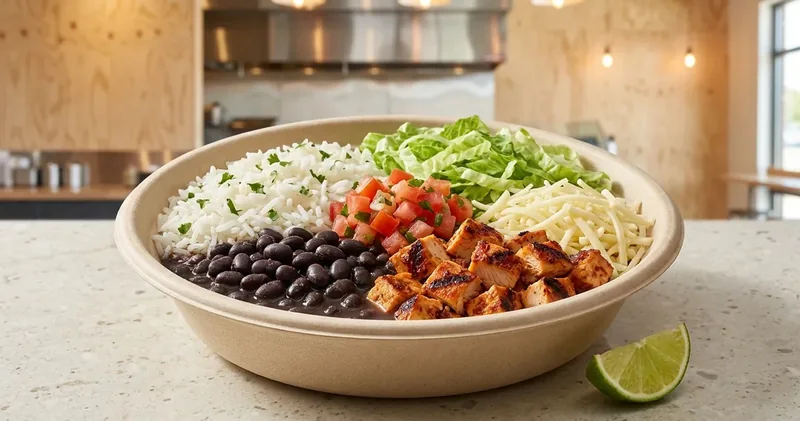

Ordering online is the easiest way to get Chipotle without waiting in line. With a Chipotle order online, you build your meal on your phone or computer, pay ahead, and pick it up when it’s ready or get it delivered to your door.
Whether it’s your first time or you just want a few helpful tips, this guide shows you every step: how to order for pickup, use the Chipotlane, get delivery, pick a later time and save money. Not sure what to get yet? Take a look at the full Chipotle menu and prices before you start.
3 Ways to Get Your Chipotle Online Order
Every Chipotle online order ends in one of three ways. Pick the one that works best for your day:
How to Order Chipotle Online for Pickup
Ordering for pickup is the fastest and cheapest way to get your food. Here’s how to order Chipotle online, step by step:
-
1
Go to chipotle.com
Open chipotle.com on your computer or phone and tap Order. You can also sign in to your Chipotle Rewards account to earn points.
-
2
Choose pickup and a restaurant
Pick Pickup, then enter your address or ZIP code to find the closest Chipotle.
-
3
Pick your meal
Choose a burrito, bowl, salad, tacos, quesadilla or kid’s meal to start your order.
-
4
Build it your way
Add your protein, rice, beans, salsas and toppings. You can ask for light, regular or extra on most toppings.
-
5
Choose a pickup time
Pick the earliest time available, or schedule a later time if you want your food ready when you get there.
-
6
Pay and place your order
Pay with a card or a Chipotle gift card, place your order, then head to the pickup shelf or Chipotlane at your pickup time.
Tip: Save your favorite meal to your account after your first order, so next time you can reorder it in just a couple of taps.
How to Order Chipotle Online for Delivery
Too busy to go out? You can order Chipotle online delivery right from chipotle.com, and a delivery partner will bring your meal to your door.
-
1
Choose delivery
On chipotle.com, tap Order and choose Delivery instead of pickup.
-
2
Enter your address
Type in your delivery address so the site can find a Chipotle that delivers to you.
-
3
Build your order
Add your meal and any sides or drinks. Orders need to be between $10 and $200 before tax.
-
4
Pay and track it
Check the delivery and service fees, pay, and follow your order until it arrives at your door.
Good to know: Delivery menu prices are higher than pickup prices, and a service fee is added at checkout. Delivery is only available in Chipotle delivery areas during normal restaurant hours.
How to Use Chipotle Order Ahead
Planning lunch for later? Chipotle order ahead lets you place your order now and pick a later pickup time, so your meal is fresh and ready the moment you walk in.
-
1
Start your pickup order
Build your meal online like you normally would and choose Pickup.
-
2
Pick a later time
At checkout, choose a future pickup time instead of the earliest one.
-
3
Show up and grab it
Your food is made close to your pickup time, so it’s fresh and waiting when you arrive.
How to Place a Group Order
Ordering for the office or a few friends? Start a group order online and share the link, so everyone can add their own meal before you check out. It saves you from collecting orders one by one and keeps everything in a single order.
For 10 or more people, Chipotle catering is often the better pick. A Build Your Own spread or Burritos by the Box is easier to share and can be ordered online too.
Tips to Save Money on Your Online Order
A few simple habits can make every online order a little cheaper:
- Pick up instead of delivery. Delivery has higher menu prices plus a service fee, so picking up your order is the easiest way to save.
- Join Chipotle Rewards. It’s free, and you earn points on every online order that you can trade for free food later.
- Check for promo codes. Chipotle often shares deals with Rewards members, and you can add a Chipotle promo code at checkout.
- Order during quiet hours. Ordering between 2:00 and 4:30 PM means shorter wait times and more pickup times to choose from.
FAQs
Can you order Chipotle online?
Yes. You can order Chipotle online at chipotle.com for pickup or delivery from almost any US restaurant. You can also order through delivery services like DoorDash and Uber Eats.
Where do I order Chipotle online?
The easiest place is chipotle.com. Tap Order, choose pickup or delivery, pick your restaurant and build your meal. Signing in to your Chipotle Rewards account lets you earn points too.
Can I order Chipotle online and pay in store?
No. Online orders are paid when you place them, so your food is ready to grab when you arrive. You can pay with a credit or debit card, or with a Chipotle gift card.
Can you pre-order Chipotle?
Yes. When you order online for pickup, you can choose a later pickup time instead of the earliest one, so your meal is ready when you get there.
Can I schedule Chipotle delivery?
Scheduled delivery depends on how you order. Delivery services like DoorDash and Uber Eats let you schedule ahead at many restaurants, while chipotle.com focuses on delivering as soon as possible.
Can I order Chipotle on my phone?
Yes. You can order on chipotle.com from your phone’s browser or through Chipotle’s mobile ordering. Your Rewards points, saved orders and gift cards all stay in your account.
Does Chipotle charge more for delivery?
Yes. Delivery orders have higher menu prices and a service fee at checkout. Orders also need to be at least $10 and no more than $200 before tax.
Conclusion
Ordering Chipotle online is one of the easiest ways to enjoy your favorite meal without waiting in line. In just a few minutes, you can build your burrito or bowl exactly the way you like it, pay ahead, and pick it up in the restaurant, at the Chipotlane or get it delivered to your door.
I hope this guide makes your next Chipotle order online quick and easy. From a fast lunch to dinner for the family or food for the whole office, you now know how to get it in just a few taps.